


Delta Force: 2nd Anniversary
4.322.42K Reviews
App Specs
- Version
- 1.202.37117.5601
- Updated On
- License
- Free
- Downloads
- 10,000,000+
- Developer
- Level Infinite
- Categories
- Action
- Platform
- Android, iOS
Screenshots
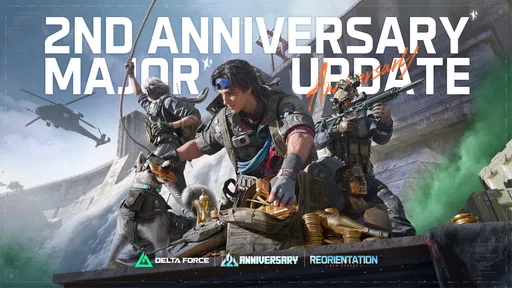
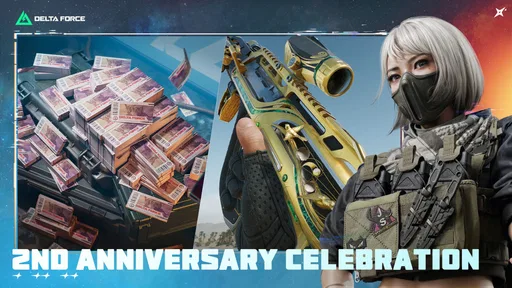
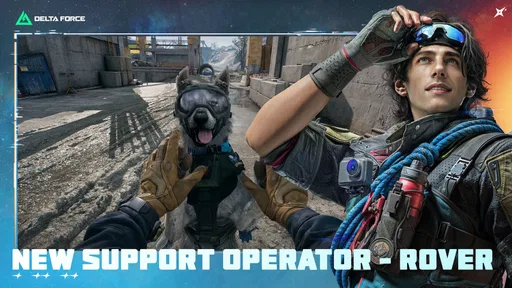
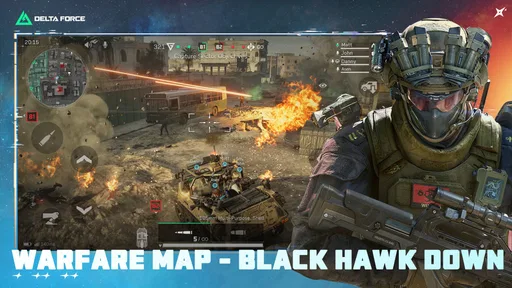
 Analysis by AppCompare
I approach Delta Force as a game for players who want a tactical shooter to reward attention, not just quick reactions. Its premise is easy to grasp, but the appeal depends on whether you enjoy learning how a mission or match unfolds and adjusting your choices as you go. I like that focus, though it also means this is not the best fit if you want a very casual game you can dip into without thinking about controls, pace or preparation.
Before the first match: where friction can appear
On a phone, an action game can feel very different from a shooter played with a controller or mouse. The first minutes are a chance to learn where the essential controls sit and whether the on-screen layout suits your hands. I would take a moment to look around, move, aim and fire before treating a match as a test of skill. If the layout feels awkward, that is useful feedback—not proof that you are simply playing badly.
It also helps to approach a new session with realistic expectations. A tactical shooter asks you to read what is happening, and rushing into every encounter can make a match feel chaotic. I get more out of slowing down, checking the situation and choosing a route than trying to imitate a fast, aggressive playstyle from the start. That small change can make the game easier to understand without making it less intense.
Simple setup checks that save frustration
Because this is a visually ambitious mobile shooter, I would check the basics before settling in for a longer session: make sure the game has finished any on-device setup it needs, close other demanding apps if the phone feels strained, and use a stable connection for online play. These are ordinary checks rather than special tricks, but they help separate a game problem from a temporary device or network issue.
Think about comfort as well as performance. A long session with cramped hands or a screen that is hard to see can make aiming and awareness worse. I prefer to begin with a short play session, see how the controls and presentation feel on my own device, and only then decide whether to adjust how I hold the phone or where I play. Headphones can make environmental cues easier to notice, although they are not a substitute for watching the action.
There is a practical trade-off in the game’s level of detail: it can make the battlefield more engaging, but players who prioritize a consistently simple, lightweight mobile experience may prefer a less demanding shooter. I would not choose a visually rich action game for a quick session on a phone that is already running hot or struggling with other tasks. Testing it when the device is free to focus on the game is a better first impression.
Gameplay Experience
So, the first thing that grabbed my attention was how immersive the gameplay is. You start off as a member of an elite special operations unit, taking on high-stakes missions that’ll keep you on your toes. The controls are pretty intuitive, which is a huge plus. You don’t want to be fumbling with awkward controls when you’re under fire, right?
Worth Reading Before You Choose

Flipboard Shows What News Apps Must Do Beyond the Feed

Switching to Android Auto Means Rethinking Your Driving Routine

Google Calendar Makes a Crowded Week Easier to Manage

Ludo King Makes the Most of the Minutes Between Plans

Baby Panda World Brings Quick Play to Modern Phones, but Its Game Library Feels Busy

ESPN’s Live Game View Makes Following Close Games Easier
The game offers a variety of missions, each with its own unique challenges. From hostage rescues to covert operations, Delta Force keeps things fresh and exciting. I particularly enjoyed the sniper missions where precision is key. Talk about an adrenaline rush!
Graphics and Sound
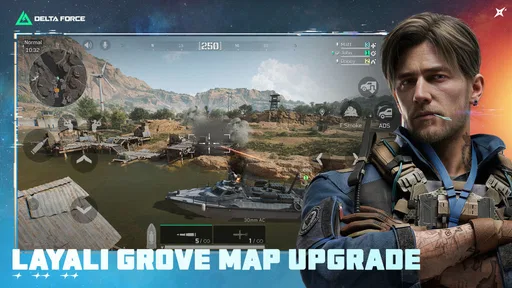
Visually, the game is quite impressive. The environments are detailed, and the character models are well-designed. Whether you’re navigating through dense jungles or arid deserts, the graphics pull you right into the action. And let’s not forget about the sound design. The realistic sound effects, from the crack of gunfire to the rustling of leaves, add an extra layer of immersion. You might want to play with headphones to really experience it.
Customization and Strategy
One of the coolest features is the level of customization available. You can tweak your loadout to suit your playstyle. Prefer going in guns blazing? Load up on assault rifles. Like taking enemies out from a distance? Equip a sniper rifle and go full stealth mode. The game encourages strategic thinking, which adds a nice depth to the gameplay.
Strategizing your approach to each mission is crucial. I found myself replaying some levels just to try different tactics, and it was a blast. The AI is smart enough to challenge you, so you can’t just run and gun your way through. Planning your moves is key.
Getting more from each run
A useful way to approach the game is to give each attempt a clear purpose. Rather than changing every part of your approach at once, I would try a different route, weapon choice or pace and pay attention to what changed. That makes a replay feel like a learning opportunity instead of a repeat of the same frustration. It is especially handy when a mission seems difficult: one small adjustment can reveal whether the issue was positioning, timing or simply moving too quickly.
Loadout choices are most useful when they match the job you want to do, not just the weapon you like most. If you enjoy taking time to line up shots, a long-range approach may suit you better; if you prefer staying close to the action, a different setup can make the experience feel more natural. I would avoid treating customization as a promise that every choice will work equally well in every situation. The fun is in finding a style you can use thoughtfully.
For a realistic everyday routine, imagine having a free stretch after dinner rather than only a few spare minutes while waiting in line. I would use the first part of that session to get comfortable with the controls and pick a straightforward objective, then save more demanding multiplayer play for when I can focus. If I only have a brief break, I would not start a session expecting a relaxed, interruption-proof experience; a competitive match is more enjoyable when I can stay attentive through its full flow.
What the game asks from your phone and your time
Online action is sensitive to interruptions. If a match suddenly feels inconsistent, I would first check whether the connection is stable and whether other devices or apps are competing for it. A short pause to reconnect or restart the game can be more sensible than repeatedly changing settings at random. If other online activities are also struggling, the network is a more likely culprit than the game itself; if the issue appears only here, checking for an available game update and restarting the app are reasonable first steps.
Likewise, if performance changes after a long session, I would let the phone cool and close background tasks before assuming that a particular weapon or map is responsible. A mobile device can be affected by heat, battery state and competing work, so comparisons are fairest when you test under similar conditions. I would not promise that these checks fix every problem, but they are practical ways to narrow down what is happening without making risky changes to the device.
The game is free to start, while optional in-app purchases range from about fifty cents to around a hundred dollars per item. That is a broad range, so I would look closely at any purchase screen and decide what I actually value before spending. You do not need to treat buying something as the way to judge whether the core experience suits you. For anyone who prefers to keep mobile gaming strictly free, setting a personal spending limit—or simply not making purchases—is a sensible boundary.
Multiplayer Madness
If you’re a fan of multiplayer, you’re in for a treat. The competitive modes are where Delta Force truly shines. Team up with friends or go solo in intense PvP battles. The community is pretty active, so you’ll always find someone to team up with or challenge. It’s a great way to test your skills against real players and see who truly is the best of the best.
Playing with friends adds another layer of fun. Coordinating tactics and pulling off successful missions together can be incredibly satisfying. Just make sure you’ve got a good mic setup; communication is everything!
Who is likely to enjoy it—and who may not
I would recommend this to someone who likes shooters with a tactical feel, enjoys experimenting with loadouts and has the patience to improve over several attempts. It can also suit friends who want a shared competitive activity and are happy to communicate instead of treating teamwork as an optional extra. The developer is Level Infinite, and the game sits in the action category; its Teen age rating is another useful point for families deciding whether it is appropriate for a younger player.
On the other hand, I would steer away from it if you want a gentle single-player game, dislike aiming on a touchscreen, or prefer matches that demand little attention. The action-shooter alternatives people often reach for can put more emphasis on quick arcade exchanges, while this game’s tactical framing makes planning and awareness part of the appeal. If you mainly want a short, low-pressure distraction, a simpler casual game is probably a better match.
There is also a difference between enjoying solo play and wanting to play alone all the time. The campaign-style missions can give you room to focus on your own decisions, but the competitive side is most rewarding when you are comfortable facing other players and, where relevant, coordinating with a team. If that social pressure sounds tiring rather than exciting, it is worth trying the parts that appeal to you before committing to a regular multiplayer routine.
Details worth knowing before you install
The game was released on April 12, 2025, and the current version is 1.202.37110.3901. It requires Android 7.0 or later. I would check the operating-system requirement before downloading, then make sure there is enough free space for the install and any subsequent setup the game may need. That simple check is especially useful on an older phone, where compatibility and available storage can be more important than the game’s headline appeal.
Its average rating is 4.5 from around 256,000 ratings, with about 19,000 written reviews and over 10 million installs. Those figures suggest that it has attracted a large audience, but they cannot tell you whether touchscreen aiming, online competition or the game’s pace will suit you personally. I would use them as context, then make the decision based on your preferred kind of shooter and how your phone handles the opening sessions.
If you are wondering whether you can enjoy it without spending, the practical answer is that it is free to download, with optional purchases available. If you are wondering whether it works on every phone, the operating-system requirement is a starting point, not a guarantee of an identical experience across devices. And if you are unsure whether to play with sound, I would try headphones in a quiet setting first: audio can help the battlefield feel more readable, but you can still decide whether that adds enough to your own sessions.
Final Thoughts
Overall, Delta Force delivers a solid tactical shooter experience. Whether you’re a solo player or a multiplayer enthusiast, there’s something here for everyone. The combination of immersive gameplay, stunning graphics, and strategic depth makes it a must-play for fans of the genre. If you haven’t tried it yet, I’d say give it a shot. Who knows, you might just find yourself hooked!
So, get out there and show the world what you’re made of, soldier! And don’t forget to check out the download link to jump into the action.
My practical verdict
For me, the strongest reason to try it is the mix of deliberate play, weapon choices and competitive pressure. Its average rating is 4.5, it is free to download, and it is rated Teen, but those points do not replace a quick personal test. Level Infinite’s action game has reached over 10 million installs, yet the right question is still whether you enjoy this particular rhythm on your own device.
I would install it when I have time to learn the controls and give a few sessions a fair chance, rather than judging it during a rushed minute. Keep spending optional, make one adjustment at a time when a run goes poorly, and save team play for a moment when you can communicate and pay attention. If those habits sound enjoyable, this could become a satisfying shooter to return to; if they sound like work, a lighter alternative will probably fit better.
Pros
- Engaging tactical gameplay.
- Realistic graphics and sound.
- Variety of missions.
- Multiplayer mode available.
- Intuitive controls.
Cons
- Requires stable internet connection.
- Large file size.
- Microtransactions present.
- Can drain battery quickly.
- Occasional lag in multiplayer.
FAQs for Delta Force: 2nd Anniversary
What is the main objective of Delta Force?
Delta Force is a tactical first-person shooter game where players assume the role of an elite soldier. The main objective is to complete various missions that involve strategic planning, stealth, and direct combat. Players must navigate challenging terrains and hostile environments to accomplish tasks and defeat enemies.
What platforms is Delta Force available on?
Delta Force is available on both Android and iOS platforms. It is designed to offer a seamless gaming experience on mobile devices, allowing users to enjoy the game’s intense action and strategic gameplay on the go. Players can download the game from the Google Play Store or the Apple App Store.
Does Delta Force require an internet connection to play?
Delta Force offers both online and offline modes. While an internet connection is necessary for accessing multiplayer features and updates, players can enjoy offline missions and campaigns without needing to be connected. This allows for flexible gameplay whether users are online or offline.
Are there in-app purchases in Delta Force?
Yes, Delta Force includes in-app purchases. Players can buy various items, such as weapons, gear, and upgrades, to enhance their gameplay experience. While these purchases can provide advantages, the game is designed to be fully playable without spending money, allowing players to progress through skill and strategy.
What age rating does Delta Force have?
Delta Force is rated for mature audiences due to its realistic violence and intense combat scenarios. Parents should be aware of the content and evaluate whether it is suitable for younger players. The game includes graphic depictions of warfare, making it more appropriate for older teens and adults.


